






To report a seller on Mercari, the right route depends on who you are and what your issue is. Shoppers can report suspicious listings directly through the flag icon on the listing page.
But if you are a brand owner dealing with counterfeits, trademark misuse, or copied content, you have Mercari’s Intellectual Property Help Center and the MARS reporting system available.
TL;DR
- To report a seller or listing on Mercari, open the item, tap the flag icon in the top right corner, choose the reason for your report, and submit it to Mercari.
- If the issue is related to an order, such as a seller not shipping, go through the order or Help Center flow instead of only reporting the listing.
- If you are reporting a buyer, user behavior, messages, or suspicious conduct, use Mercari’s Help Center or the relevant order/message reporting route.
- If you are a brand owner reporting counterfeits, trademark infringement, copyright infringement, or copied product images, use Mercari’s Intellectual Property Help Center and the Mercari Authorized Reporting System, known as MARS.
- Buyers have 72 hours after confirmed delivery to report an item that is not as described, including potentially inauthentic or counterfeit items.
- For brands, one-off reporting is not enough when sellers relist, rotate accounts, or copy brand assets across multiple marketplaces. That requires continuous online marketplace monitoring and scalable enforcement.
How do you report a seller on Mercari?
To report a seller on Mercari, first identify what you are actually reporting: a listing, a seller, a buyer, an order issue, a message, or an intellectual property violation.
For a suspicious listing, Mercari’s current reporting flow is simple:
- Open the listing.
- Tap the flag icon in the top right corner.
- Select the reason you are reporting it.
- Tap “Submit” and confirm.
That route is best for general users reporting suspicious listings, fake items, prohibited items, or marketplace policy concerns.
For brand owners, the process is different. If the seller is using your trademark, logo, copyrighted images, product descriptions, or selling counterfeit goods, use Mercari’s IP reporting route through MARS. This sends the issue through the correct rights-holder process instead of treating it as a general user complaint.
Which Mercari reporting route should you use?
Use this table to decide where to start.
| Issue | Best reporting route |
| Suspicious listing | Use the flag icon on the listing |
| Fake item or possible counterfeit as a buyer | Use the listing report flow or order Help Center flow |
| Seller not shipping | Use the order Help Center flow |
| Buyer behaving suspiciously | Use the relevant order, message, or Help Center flow |
| User harassment or prohibited conduct | Use Mercari Help Center or report the relevant interaction |
| Seller using your brand name or logo | Use MARS through Mercari’s IP Help Center |
| Copied product photos or listing text | Use MARS or Mercari’s copyright process |
| Counterfeit or replica products affecting your brand | Use MARS |
| Need customer support | Use Mercari Help Center, not only the listing report button |
The key distinction is this: general users report behavior or listings; brand owners report rights violations.
How to report a seller, user, or buyer on Mercari
Not every reporting situation is about counterfeits. Many people searching for this topic simply want to know how to report someone on Mercari, whether that person is a seller, buyer, or user.
How to report a listing or seller
If the problem is tied to a specific listing, use the listing report flow:
- Open the item listing.
- Tap the flag icon in the top right corner.
- Choose the reason that best describes the issue.
- Submit and confirm the report.
This is the right route for a suspicious listing, a potentially prohibited item, or a listing that does not feel legitimate.
How to report a seller who is not shipping
If the seller has not shipped your order, the issue is usually handled through the order Help Center flow, not by reporting the seller profile alone.
Go to the order, check the shipment status, and follow Mercari’s available support prompts. If the seller cannot fulfill the order, the situation may be handled through cancellation or order support.
How to report a buyer on Mercari
If the issue involves a buyer, start with the relevant order, message, or support flow. This may apply if the buyer is behaving suspiciously, making inappropriate requests, trying to move the transaction off-platform, or violating Mercari’s rules.
Keep screenshots of messages and order details before contacting support.
How to report a user on Mercari
If the issue is tied to user behavior, such as messages, comments, harassment, or prohibited conduct, use Mercari’s Help Center or the reporting option attached to the specific interaction where available.
This is different from a brand-owner IP complaint. If the user is infringing your trademark or using your brand assets, MARS is the better route.
When should brand owners use MARS?
Brand owners should use Mercari’s IP reporting process when the issue involves intellectual property.
MARS stands for Mercari Authorized Reporting System. It is Mercari’s reporting route for rights holders submitting intellectual property complaints.
Use MARS when a seller is:
- Selling counterfeit or replica products using your brand identity
- Using your trademark without authorization
- Copying your logo
- Using your product photos without permission
- Copying your product descriptions
- Using your brand name in a misleading listing
- Presenting fake products as genuine
- Using your brand assets to make a seller profile or listing appear official
Mercari’s Intellectual Property Help Center is the safest external link to include because it explains the rights-holder route and points users to MARS.
Why do fake items and counterfeit sellers appear on Mercari?
Mercari is a peer-to-peer marketplace where users can list and sell items quickly. That ease of use is valuable for legitimate resale, but it also creates openings for bad actors.
Counterfeit sellers use resale marketplaces because they can:
- Create listings quickly
- Use copied product photos
- Hide behind individual seller accounts
- Relist products after removal
- Sell “rare,” “discounted,” or “hard-to-find” items
- Rotate across categories and seller profiles
- Reach buyers searching for deals on branded products
This matters because counterfeit purchases do not only hurt the original sale. They damage trust.
Red Points’ 2025 Counterfeit Buyer Teardown found that deceptive listings, misleading descriptions, and convincing scam tactics can make shoppers believe they are buying from a legitimate brand or authorized seller. The report also found that fashion was the top category for accidental fake purchases, and that nearly 1 in 3 shoppers stopped buying from the original brand after a bad counterfeit experience.
That is why marketplace reporting should not be treated as a one-off task. For brands, Mercari should be part of a broader counterfeit protection and Marketplace Protection strategy.
How can you identify counterfeit sellers on Mercari?
Counterfeit sellers are not always obvious. Some use authentic product photos, realistic prices, and polished descriptions. Instead of relying on one sign, look for a pattern.
Suspicious pricing
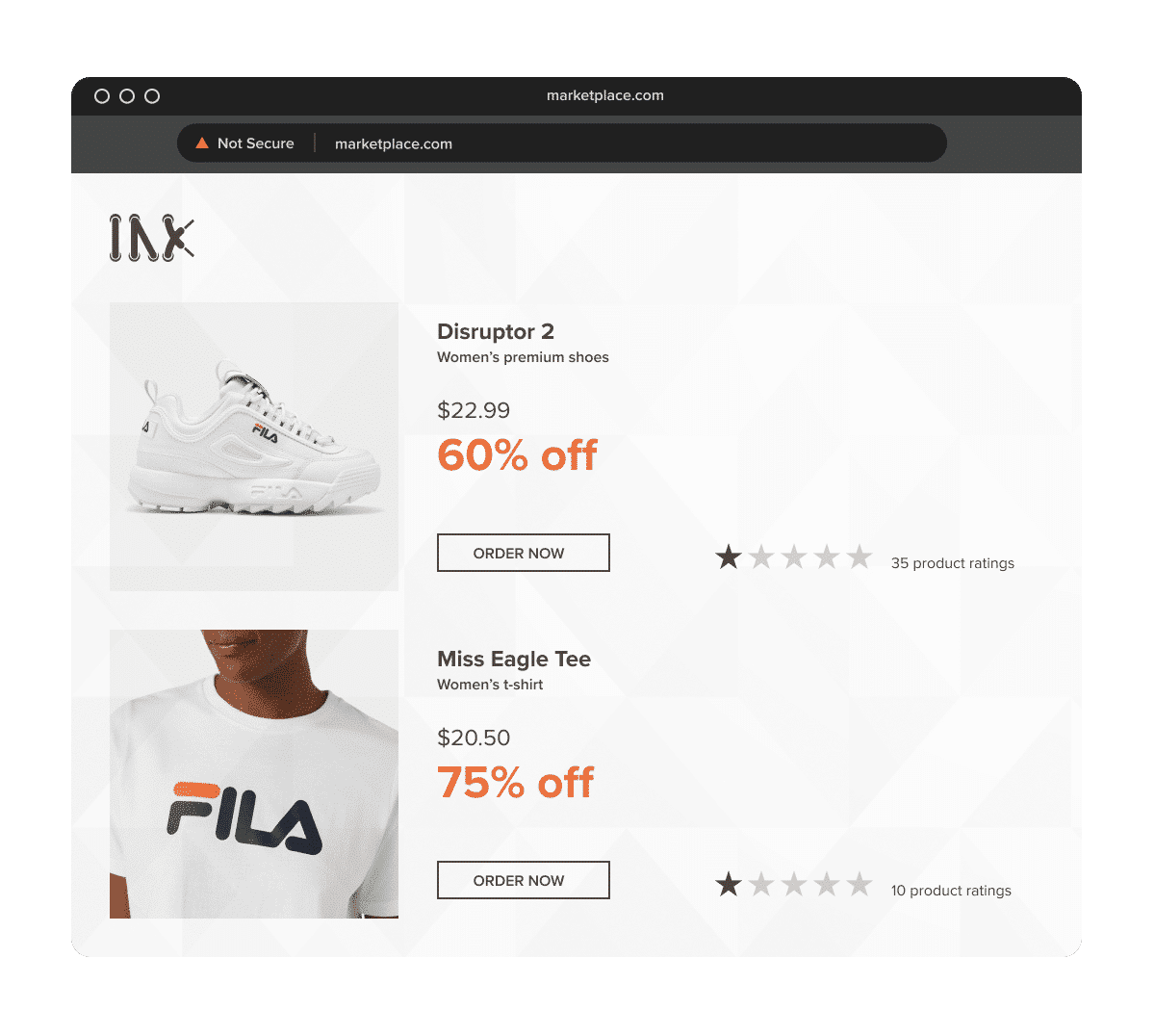
Very low pricing can be a warning sign, but counterfeiters often avoid discounts that look too extreme.
Red Points’ 2025 research found that counterfeiters typically price fake products 31% to 38% below retail. That kind of discount can look like a normal resale deal, which is exactly why it works.
A low price alone does not prove a product is fake, but it becomes more suspicious when combined with copied imagery, vague descriptions, or unusual seller behavior.
Copied or inconsistent product images
Look for listings that use official brand photos, campaign images, product catalog photos, or website photography without permission.
Other warning signs include:
- Cropped logos
- Blurry or edited images
- Images that do not match the seller’s other listings
- Photos reused across multiple seller accounts
- Packaging that does not match your official product
- Product images that look polished while the listing text is vague
If the seller uses copied product images, the issue may involve both counterfeit sales and copyright infringement.
Vague or misleading descriptions
Counterfeit listings often avoid direct claims while still signaling the brand.
Watch for:
- Missing product details
- Generic wording
- Unusual keyword stuffing
- Words like “dupe,” “replica,” “mirror quality,” or “inspired by”
- Product names that avoid the brand but use official product images
- Descriptions that do not match the images
Terms like “BNWT,” meaning “brand new with tags,” are common in legitimate resale and are not suspicious on their own. But when combined with unusually low pricing, copied images, missing product details, or an unverified seller, they can help build a risk profile.
Seller history and trust signals
Mercari uses profile and seller signals to help users assess seller activity. These signals can provide useful context, but they are not proof that a listing is genuine or fake.
A legitimate new seller may have limited history. A bad actor may appear credible for a short period. Use seller history as one part of the review, not as the deciding factor.
Look at:
- Seller reviews
- Account age
- Repeated buyer complaints
- Similar products listed in high volume
- Reused images across listings
- Whether the seller avoids direct product details
- Whether the seller appears again under similar profiles after removals
Repeat seller patterns
Repeat behavior is often the strongest signal.
Track whether similar listings appear with:
- The same photos
- Similar descriptions
- Similar pricing
- Similar usernames
- Similar shipping locations
- The same product categories
- New accounts after old listings disappear
This is where manual reporting starts to break down. A single report can remove a listing. It does not always stop the seller network behind it.
How to report a counterfeit or IP-infringing seller on Mercari
For counterfeit or IP-related issues, the right reporting path depends on whether you are a buyer or a rights holder.
A buyer should use Mercari’s listing or order Help Center flow.
A brand owner or authorized representative should use MARS.
Step 1: Gather evidence before reporting
Before submitting a report, document the listing while it is still live.
Collect:
- Listing URL
- Seller profile URL
- Seller username
- Screenshots of the listing
- Product title
- Product description
- Product images
- Price
- Date and time captured
- Customer complaints, if available
- Evidence showing why the item is counterfeit or infringing
- Trademark, copyright, or rights ownership documentation
Do not rely only on the seller name. A strong report should show what is infringing and why Mercari should act.
Step 2: Decide whether it is a general report or IP report
Use the standard Mercari report flow if the issue is a suspicious listing, prohibited item, misleading behavior, or buyer/seller conduct.
Use MARS if the issue involves:
- Your trademark
- Your logo
- Your copyrighted images
- Your product descriptions
- Counterfeit products
- Replica products
- Unauthorized use of protected brand assets
This prevents brand-owner issues from being treated as general user complaints.
Step 3: Report general listing issues with the flag icon
For a general listing report:
- Open the Mercari listing.
- Tap the flag icon in the top right corner.
- Select the reason for the report.
- Submit and confirm.
Some older guides mention a three-dot menu. The current U.S. Help Center points users to the flag icon, but the interface can vary by app version or device.
Step 4: Report IP infringement through MARS
For IP infringement, go to Mercari’s Intellectual Property Help Center and use MARS.
Your report should include:
- Your contact information
- Rights owner information
- Proof that you own or are authorized to enforce the relevant IP
- The specific listing URL
- The type of infringement
- A clear explanation of the violation
- Screenshots and supporting evidence
- Trademark registration details, if reporting trademark infringement
- Original content location, if reporting copyright infringement
Mercari may request more information, including authorization from the rights owner or other supporting documentation.
Step 5: Explain the issue clearly
Avoid vague wording like:
This is fake. Please remove it.
Use a specific explanation:
This listing uses our registered trademark in the title and product images. The seller is not authorized to sell our products, and the item appears to be a counterfeit based on incorrect packaging, copied product imagery, and product details that do not match our official catalog.
For copied images:
This listing uses copyrighted product photography copied from our official website without authorization. The original image appears here: [URL]. The Mercari listing using the copied image appears here: [listing URL].
The clearer the rights basis, the easier it is for the platform to review.
Step 6: Keep a record and monitor for relisting
After submission, track:
- Date submitted
- Report route used
- Listing URL
- Seller username
- Infringement type
- Evidence submitted
- Outcome
- Removal date, if removed
- Whether the seller relisted the same or similar item
This record matters if the same seller keeps returning or if you need to escalate the pattern later.
What evidence should brands include in a Mercari IP report?
A strong Mercari IP report should make two things clear: what right you own and how the listing infringes it.
Include:
- Direct listing URL
- Seller profile URL
- Screenshots of the listing
- Product photos showing the issue
- Link to your official product page or catalog
- Trademark registration number, if relevant
- Copyright ownership evidence, if relevant
- A comparison between the genuine product and suspected counterfeit
- Explanation of whether the seller is unauthorized
- Prior report references, if the seller has relisted before
- Evidence of customer confusion, if available
For counterfeit products, include details that are hard to dispute, such as wrong packaging, non-existent product variations, incorrect logo placement, copied official imagery, or mismatches with your authorized product catalog.
For copyright infringement, show where the original image, description, or creative asset was first published and where it appears in the Mercari listing.
For trademark infringement, show how your brand name, logo, or registered mark is being used to make the product or seller appear connected to your brand.
What happens after you report a seller on Mercari?
After a report is submitted, Mercari reviews the case and decides whether the listing, transaction, or account violates its policies.
Depending on the issue, Mercari may:
- Remove the listing
- Cancel related transactions
- Ask for more information
- Limit or close an account
- Take action against prohibited conduct
- Reject incomplete or unsupported reports
Mercari’s Prohibited Items policy says that if Mercari determines a listing is prohibited or otherwise inappropriate, it may remove the listing, cancel related transactions, or suspend or terminate the account.
Mercari also states that accounts may be limited or closed for reasons such as listing or selling prohibited items, engaging in prohibited conduct, multiple Terms of Service violations, questionable account activity, or high-risk behavior.
Mercari has also invested in platform-side appraisal and authentication. Its 2025 transparency materials describe a Mercari-operated Appraisal Center designed to help address counterfeit brand-name items and item-switching fraud. This is a positive platform signal, but it does not replace the need for brand owners to submit IP reports through the proper rights-holder route.
What should buyers know about counterfeit returns on Mercari?
Buyer reporting is separate from brand-owner enforcement, but it still matters.
Mercari Buyer Protection says buyers have 72 hours after confirmed delivery to report an item that is not as described through the Help Center. Mercari’s return guidance also references counterfeit or inauthentic items as return-related issues.
For buyers, this means speed matters. Do not rate the seller before raising an issue, and use Mercari’s Help Center within the eligible window.
For brands, buyer complaints can become useful evidence. If customers contact your support team about fake products bought on Mercari, capture:
- Seller name
- Listing URL
- Screenshots
- Product photos
- Order details the customer can provide
- How the product differs from the genuine version
- Any customer confusion or complaint language
A refund may help the buyer, but it does not necessarily stop the seller. Brand owners should still file IP reports and monitor relisting.
Can you report a seller by calling Mercari customer service?
For most seller, buyer, listing, and order issues, Mercari directs users through its Help Center, in-app reporting, and order-specific support flows.
If you are reporting a suspicious listing, use the flag icon on the listing.
If the issue is related to an order, use the order Help Center flow.
If you are a brand owner reporting IP infringement, use Mercari’s Intellectual Property Help Center and MARS.
Why is manual reporting not enough for most brands?
Manual reporting is useful for isolated cases. It is not enough when counterfeit sellers keep returning or when listings appear across multiple accounts and marketplaces.
The main limitations are:
- Detection gap: Your team has to find the listing before it can report it.
- Time delay: Counterfeit listings can keep generating sales while the report is reviewed.
- Evidence burden: Every report requires screenshots, listing details, rights information, and a clear explanation.
- Relisting: Sellers can create new listings or new accounts after removal.
- Prioritization: Manual workflows make it hard to know which cases are most damaging.
- Channel spread: Sellers rarely operate on only one marketplace.
Manual reporting is a tactical step. Brand protection requires an operational process: continuous detection, evidence collection, reporting, tracking, and escalation.
How Red Points helps brands report and remove Mercari counterfeit sellers
Red Points helps brands detect, validate, and remove online infringements across marketplaces, social media, domains, search engines, ads, and other digital channels.
For Mercari and other resale marketplaces, Red Points can help brands:
- Detect suspicious listings continuously
- Identify counterfeit product listings
- Find trademark and copyright abuse
- Track repeat sellers
- Connect seller patterns across accounts
- Prioritize high-risk cases
- Submit takedowns through the right platform routes
- Monitor outcomes
- Escalate unresolved or repeat cases
- Report trends to legal, ecommerce, and brand protection teams
Additionally, by incorporating a validation layer, we filter out false positives before submission, ensuring that enforcement actions are directed only at verified infringements.
For brands dealing with counterfeit goods, Red Points’ Counterfeit Protection solution helps detect and act on fake products at scale. For broader marketplace programs, Marketplace Protection helps brands monitor and enforce across multiple marketplace channels.
If your brand is dealing with repeat Mercari sellers, copied product listings, fake profiles, or marketplace counterfeits, request a demo to see how Red Points can help.
Frequently asked questions
How do I report someone on Mercari?
If the issue is tied to a listing, open the item, tap the flag icon in the top right corner, choose the reason, and submit the report. If the issue is tied to an order, buyer, seller behavior, or messages, use the relevant order, message, or Help Center flow.
How do I report a seller on Mercari?
To report a seller through a listing, open the listing, tap the flag icon, select the reason, and confirm the report. If you are a brand owner reporting counterfeits or IP infringement, use Mercari’s IP reporting route through MARS instead.
Can you report a seller on Mercari?
Yes. You can report a seller through the listing report flow if the issue is connected to an item. For order issues, messages, or prohibited conduct, use the relevant Mercari Help Center route. Brand owners should use MARS for IP infringement.
How do I report a user on Mercari?
Use Mercari’s Help Center or the reporting option attached to the relevant listing, order, message, or interaction. If the user is misusing your brand name, logo, or copyrighted content, use MARS as the rights-holder route.
How do I report a buyer on Mercari?
If the issue involves a buyer, use the relevant order, message, or Help Center flow. Keep screenshots and order details before reporting, especially if the buyer is making suspicious requests or trying to move the transaction off-platform.
What should I do if a Mercari seller is not shipping?
Check the order status and use the order Help Center flow. Seller-not-shipping issues are usually handled as order or cancellation issues, not as brand-owner IP complaints.
What is the Mercari Authorized Reporting System, or MARS?
MARS is Mercari’s reporting system for rights holders submitting intellectual property infringement reports. Brand owners and authorized representatives should use it for trademark infringement, copyright infringement, counterfeit goods, replica items, and other IP-related issues.
Should brands use MARS or the standard report button?
Brands should use MARS for IP infringement. The standard report button is useful for general users reporting suspicious listings or policy violations, but MARS is the more appropriate route for rights holders reporting trademark, copyright, or counterfeit issues.
How do I report a counterfeit seller on Mercari as a brand owner?
Go to Mercari’s Intellectual Property Help Center and submit an IP infringement report through MARS. Include the listing URL, seller information, screenshots, proof of IP ownership, and a clear explanation of why the product or listing infringes your rights.
Can brands report Mercari sellers without buying the product?
Yes. Rights holders can report IP infringement through MARS without purchasing the item. A purchase may provide additional evidence in some cases, but it is not always necessary to submit an IP report.
What is the difference between a counterfeit report and a DMCA notice?
A counterfeit report usually focuses on trademark infringement or fake physical goods that misuse a brand’s identity. A DMCA notice focuses on copyright infringement, such as unauthorized use of product photography, videos, or written content. Some Mercari listings may involve both.
How long does Mercari take to respond to IP reports?
Mercari does not guarantee a fixed review time for all IP reports. Timing can vary depending on report volume, evidence quality, case complexity, and whether Mercari needs additional documentation.
Can Mercari ban repeat counterfeit sellers?
Mercari can limit or close accounts for policy violations, prohibited item listings, questionable account activity, high-risk behavior, or multiple Terms of Service violations. For brands, the challenge is that repeat offenders may return under new accounts, which is why seller tracking matters.
What should I do if Mercari does not act on my report?
Review whether your report included enough evidence, the correct listing URL, proof of rights ownership, and a clear explanation of infringement. If the listing remains active, follow up through Mercari’s Help Center or IP reporting route and reference your original submission. For repeat or high-volume cases, consider using marketplace monitoring to track and escalate cases systematically.
Are seller badges enough to prove a Mercari seller is legitimate?
No. Seller badges and profile signals can help assess trust, but they are not proof that a product is genuine. Brands should assess the full listing context, including images, pricing, descriptions, seller history, product details, and whether the seller is authorized.
Can buyers return counterfeit items on Mercari?
Mercari says buyers have 72 hours after confirmed delivery to report an item that is not as described. Buyer returns can help individual customers, but brand owners should still use MARS for IP enforcement because buyer refunds do not automatically solve repeat seller abuse.
Why do counterfeiters keep relisting after removal?
Relisting is common because counterfeiters can create new listings, adjust wording, change images, or use new accounts. This is why brands need repeat-seller tracking, not just individual takedowns.
Can I report a seller by calling Mercari customer service?
For most seller, buyer, listing, and order issues, Mercari directs users through Help Center, in-app, and order-specific support flows. For IP infringement, brand owners should use Mercari’s IP Help Center and MARS.